Ariadne informiert dich über Änderungen und Aufgaben direkt im System und per E-Mail. So stellst du sicher, dass Inhalte aktuell bleiben und du keinen Handlungsbedarf verpasst.
Benachrichtigungen im System
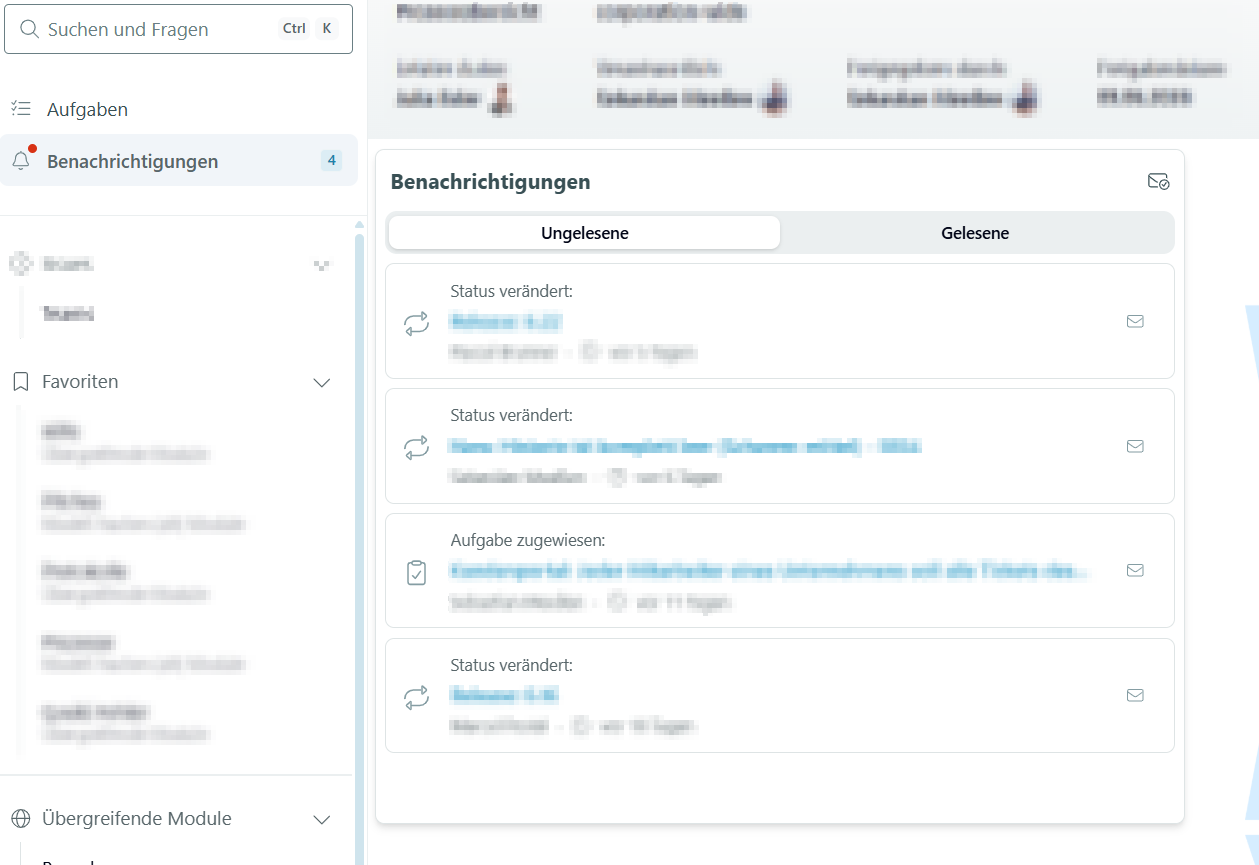
Neue Benachrichtigungen erkennst du an der Glocke in der linken Seitenleiste. Ein roter Punkt im Browser-Tab zeigt dir, dass etwas Neues da ist. Klicke auf die Glocke, um deine Benachrichtigungen zu öffnen.
Benachrichtigungen enthalten zum Beispiel:
- Aufforderungen zur Freigabe von Seiten im alten Freigabeworkflow
- Kommentare auf Seiten, für die du verantwortlich bist
- Erwähnungen in Kommentaren (@-Mention)
- Aufgaben aus Modulen
Aufgaben-Schnellzugriff
Im Aufgaben-Schnellzugriff findest du alles, was du zeitnah erledigen solltest:
- Freigaben im neuen Freigabeworkflow
- Lesebestätigungen
- Aktualitätsprüfungen und Wiedervorlagen
- Aktionen aus Modulen
Der Vorteil von Aufgaben: Wenn eine Aufgabe bearbeitet wird, wird sie automatisch für alle Empfänger geschlossen. Zur Umstellung auf den neuen Workflow kannst du jederzeit unseren Service kontaktieren.
E-Mail-Benachrichtigungen
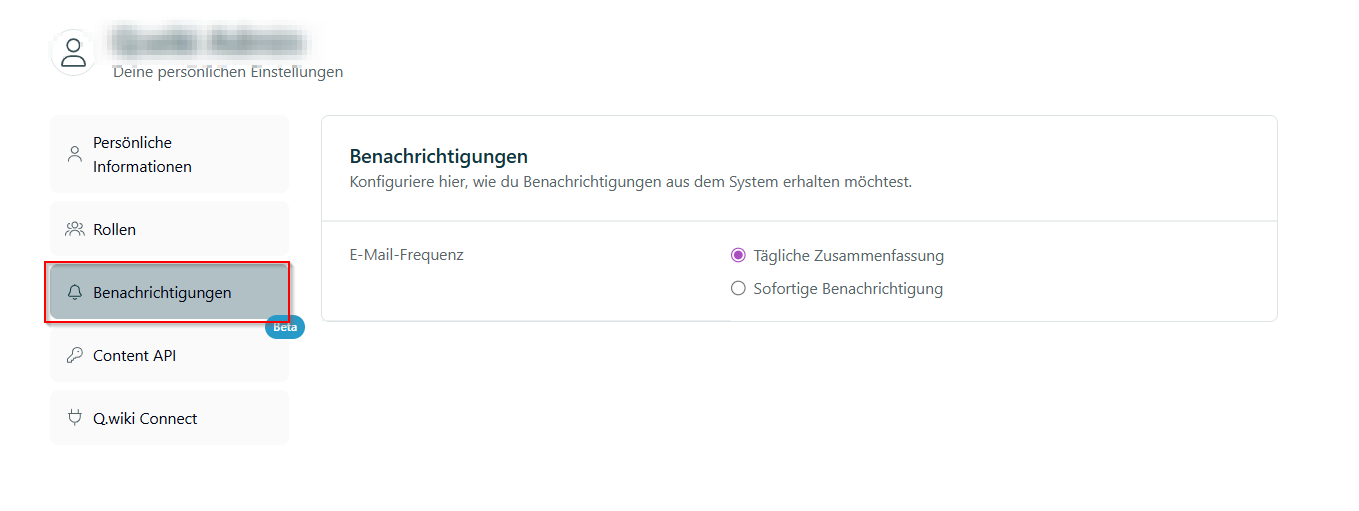
Tägliche Zusammenfassung: Wenn für dich offene Benachrichtigungen vorliegen, bekommst du einmal täglich eine E-Mail mit einer Übersicht. Gibt es nichts Neues, kommt auch keine Mail.
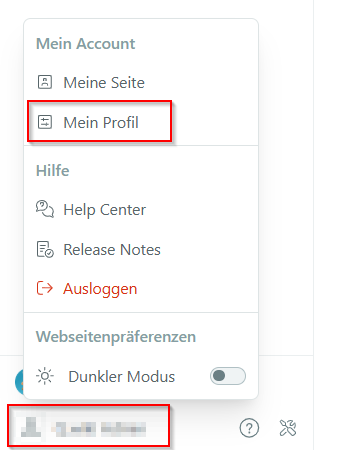
Sofortige Benachrichtigungen: Alternativ kannst du sofortige E-Mails aktivieren. Das stellst du in deinem persönlichen Profil ein.
Übersicht aller Benachrichtigungen
Hinweis: Die folgenden Punkte beschreiben das Standardverhalten. Abweichungen sind möglich – zum Beispiel durch angepasste Freigabeworkflows oder individuell konfigurierte Module.
| Auslöser | Wer wird benachrichtigt? | Konfigurierbar |
|---|---|---|
| Prozessmodul | – | – |
| Seitenverantwortung wird übergeben | Neue/r Seitenverantwortliche/r | nein |
| Inhaltliche Seitenfreigabe wird angefordert | Seitenverantwortlicher | nein |
| Weitere Freigabestufe | Mitglieder der hinterlegten Gruppe | nein |
| Lesebestätigung wird angefordert | Zur Lesebestätigung aufgeforderte Nutzer | nein |
| Wiedervorlage | Seitenverantwortliche | ja |
| Kommentar | Seitenverantwortliche und manuell ausgewählte Nutzer | nein |
| Module | – | – |
| Status eines Modul-Elements (z. B. Risiko, Audit, Protokoll) wird verändert | Alle in dem Modul konfigurierten Nutzer | ja |
| Aufgabe wird einem Nutzer zugewiesen | Zugewiesener Nutzer | nein |
| Aufgabe wird bearbeitet, kommentiert oder geschlossen | Autor, zugewiesener Nutzer und zu informierende Nutzer | nein |
Keine Benachrichtigung an dich selbst
- Du erstellst eine Aufgabe und weist sie dir selbst zu.
- Du forderst eine Freigabe an, bist aber selbst als Seitenverantwortlicher eingetragen.
War dieser Artikel hilfreich?
Das ist großartig!
Vielen Dank für das Feedback
Leider konnten wir nicht helfen
Vielen Dank für das Feedback
Feedback gesendet
Wir wissen Ihre Bemühungen zu schätzen und werden versuchen, den Artikel zu korrigieren