This article explains what the Ariadne MCP Server is, what it can do, and how to find the endpoint URL for your Ariadne instance.
What is MCP?
The Model Context Protocol (MCP) is an open standard that allows AI tools such as Microsoft Copilot, ChatGPT, or Claude to access your Ariadne content in real time.
What the Ariadne MCP Server can do (Tools)
| Feature | What the connected agent can do with it |
|---|---|
| Full-text search | Search across all modules – processes, work instructions, documents. |
| Page retrieval with metadata | Retrieve complete Ariadne pages including page owner, status, and last approval date. |
| Roles & responsibilities | Deliver roles with name and description (not just IDs), look up individual roles by ID, retrieve recently edited pages for a role – e.g. for questions like "What are the current topics in my area of responsibility?" |
| File pages & attachments | Content from attached files is included in search results. |
| Read comments | The agent can include existing discussions in its responses. |
| Write and edit comments | The agent can post and edit feedback or notes as a comment in Ariadne or delete existing comments (optional; requires write permissions during authentication). |
| Tasks and notifications | The agent can read and interpret the user's notifications and tasks, so that the tasks can be agentically supported on the associated Ariadne pages. |
Prerequisites
- The "API / MCP" add-on module is booked and activated for your Ariadne instance.
Finding your MCP URL
Once the add-on module is activated, the MCP Server is automatically available at the following URL:
https://<tenant>.ariadne.cloud/external-api/v1/mcp
Replace <tenant> with the name of your Ariadne instance. You can find and copy the URL directly in Ariadne under My Account > My Profile > Content API.
Authentication
The AI client authenticates via OAuth 2.0 – no tokens or credentials need to be entered manually. If Ariadne uses Entra ID SSO, the login process runs automatically. Each connection is automatically revoked after 30 days and must then be re-confirmed once.
During the OAuth dialog, you make two decisions:
- Unit selection: You choose which unit's content the agent is allowed to search – only content from that unit will be returned, in line with how the standard Ariadne search works.
- Permission scope: Read-only access (agent can search and read content) or additionally write access (agent can post comments in Ariadne).
Known limitations
- Write access is limited to comments; creating page drafts will follow in a later version.
- Available for Ariadne Cloud only – not for on-premises installations.
Manage connected agents
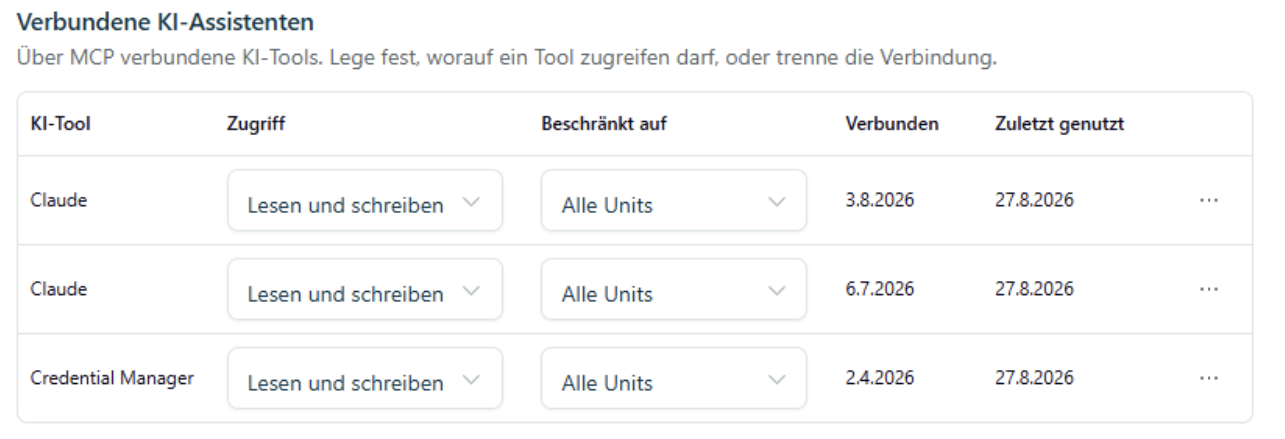
Existing connections to AI agents are now managed in your user profile under Settings > API/MCP. All connections are listed there and can be revoked. You can adjust their read and write permissions and unit selection. The unit you chose when you first connected remains unchanged.
Related articles
Was this article helpful?
That’s Great!
Thank you for your feedback
Sorry! We couldn't be helpful
Thank you for your feedback
Feedback sent
We appreciate your effort and will try to fix the article