Wenn du über jede Änderung an einem Vorgang informiert bleiben möchtest, kannst du ihn beobachten. Dieser Artikel zeigt dir, wie die Beobachtung funktioniert und wer automatisch beobachtet wird.
Überblick
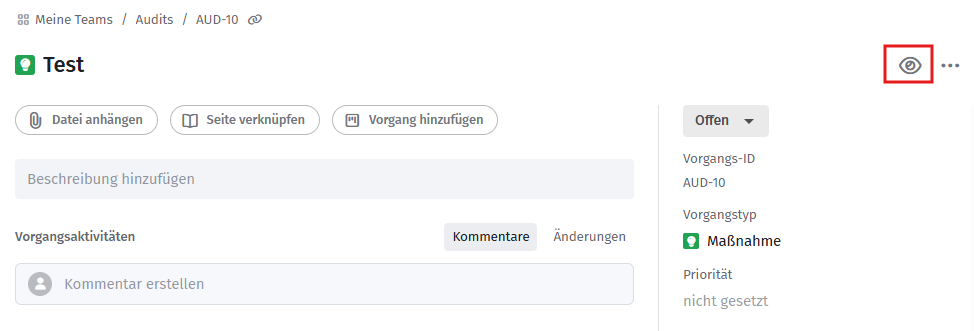
Über das Beobachten-Symbol oben rechts an einem Vorgang kannst du dich der Beobachtung hinzufügen und wirst anschließend per Benachrichtigung über jede Änderung am Vorgang informiert.
Wer wird automatisch beobachtet?
Ersteller und neue Bearbeiter werden automatisch der Beobachtung hinzugefügt. Nutzer werden außerdem automatisch zur Beobachtungsliste hinzugefügt, sobald sie zu einem der Personen-Felder eines Vorgangs hinzugefügt werden. Ein manuelles Hinzufügen ist daher normalerweise nicht nötig.
Beobachtung beenden
Verwandte Artikel
War dieser Artikel hilfreich?
Das ist großartig!
Vielen Dank für das Feedback
Leider konnten wir nicht helfen
Vielen Dank für das Feedback
Feedback gesendet
Wir wissen Ihre Bemühungen zu schätzen und werden versuchen, den Artikel zu korrigieren