Über die Kommentarfunktion kannst du innerhalb eines Vorgangs mit deinem Team kommunizieren. Dieser Artikel zeigt dir, wie du Kommentare erstellst, bearbeitest und löschst.
Kommentar erstellen
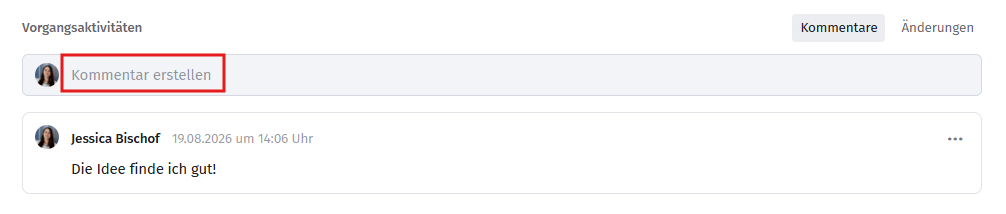
- Klicke auf Kommentar erstellen.
- Erfasse den Text des Kommentars. Formatierungen und weitere Textfunktionen stehen dir wie in der Vorgangsbeschreibung zur Verfügung
- Klicke auf Speichern, um den Kommentar abzuschließen.
Der Kommentar ist ab sofort für alle Mitglieder des Teams einsehbar.
Kommentare bearbeiten und löschen
Eigene Kommentare kannst du jederzeit bearbeiten oder löschen.

Gut zu wissen: Der Inhaber des Teams kann auch fremde Kommentare bearbeiten und löschen.
Reihenfolge der Kommentare
Kommentare werden chronologisch angeordnet – der aktuellste Kommentar steht immer an erster Stelle.
Verwandte Artikel
War dieser Artikel hilfreich?
Das ist großartig!
Vielen Dank für das Feedback
Leider konnten wir nicht helfen
Vielen Dank für das Feedback
Feedback gesendet
Wir wissen Ihre Bemühungen zu schätzen und werden versuchen, den Artikel zu korrigieren