Am Status eines Audits erkennst du auf einen Blick, in welcher Phase es sich befindet und was du noch bearbeiten kannst. Je weiter ein Audit fortschreitet, desto mehr wird schreibgeschützt, um die Nachvollziehbarkeit zu sichern.
Die neun Status im Überblick
Das Audit wurde gerade angelegt. Noch sind keine Verantwortlichkeiten oder Termine definiert.
Verantwortlichkeiten und Termine sind festgelegt. Das Audit ist bereit zur Vorbereitung.
Die Bearbeiter bereiten das Audit aktiv vor, z. B. durch Sichtung von Unterlagen oder Abstimmung mit Beteiligten.
Der Auditor arbeitet aktiv den Fragenkatalog ab und trägt Feststellungen und Bewertungen ein.
Vorbereitung oder Durchführung wurden vorübergehend unterbrochen, zum Beispiel wegen externer Abhängigkeiten oder fehlender Informationen.
Das Audit ist abgeschlossen. Die Bearbeiter dokumentieren Ergebnisse und leiten Maßnahmen ein. Der Fragenkatalog ist zu diesem Zeitpunkt bereits gesperrt.
Das Audit wurde erfolgreich abgeschlossen und geschlossen. Keine weiteren Bearbeitungen möglich.
Das Audit wurde geschlossen, ohne das Ziel zu erreichen. Keine weiteren Bearbeitungen möglich.
Das Audit wurde abgebrochen und nicht durchgeführt. Keine weiteren Bearbeitungen möglich.
Was du je nach Status noch bearbeiten kannst
Je weiter ein Audit fortschreitet, desto mehr wird schreibgeschützt.
| Statuskategorie | Was ist gesperrt? |
|---|---|
| Offen Offen, Geplant | Nichts, du kannst alles bearbeiten |
| In Bearbeitung Vorbereitung, Durchführung, Pausiert | Fragenkatalog löschen ist deaktiviert |
| Nachbereitung | Fragenkatalog löschen und Fragenkatalog bearbeiten sind gesperrt. Feststellungen, Konformitäten und Begründungen können nicht mehr bearbeitet werden. |
| Erfolgreich Geschlossen Nicht erfolgreich, Verworfen | Alles aus Nachbereitung. Zusätzlich können Anhänge und Verknüpfungen an Fragen weder entfernt noch neu erstellt werden. |
Status ändern
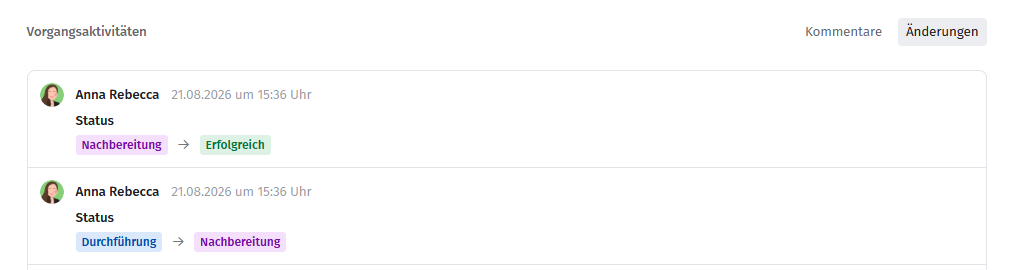
Den Status kannst du jederzeit ändern, auch wenn der Fragenkatalog gerade gesperrt ist. Du benötigst dafür die entsprechenden Berechtigungen. Alle Statusänderungen sind über die Änderungshistorie nachvollziehbar.
Verwandte Artikel
War dieser Artikel hilfreich?
Das ist großartig!
Vielen Dank für das Feedback
Leider konnten wir nicht helfen
Vielen Dank für das Feedback
Feedback gesendet
Wir wissen Ihre Bemühungen zu schätzen und werden versuchen, den Artikel zu korrigieren