Q.WIKI Add-On Module Action Management in Q.wikiActions are created straight from audits, risks, or opportunities, and you keep an eye on status and progress at all times. |
An action gets decided on, in a meeting, an audit, or right during a risk assessment, and then it often disappears into a list nobody ever checks again. Whether it actually got done stays unclear until someone happens to ask. With Action Management in Q.wiki, you create actions directly from projects, audits, risks, or opportunities, and bundle them into an action plan whenever needed. You can assign that plan to the people responsible and track its progress at any time.
What changes for your everyday work
|
|
|
What this looks like in practice
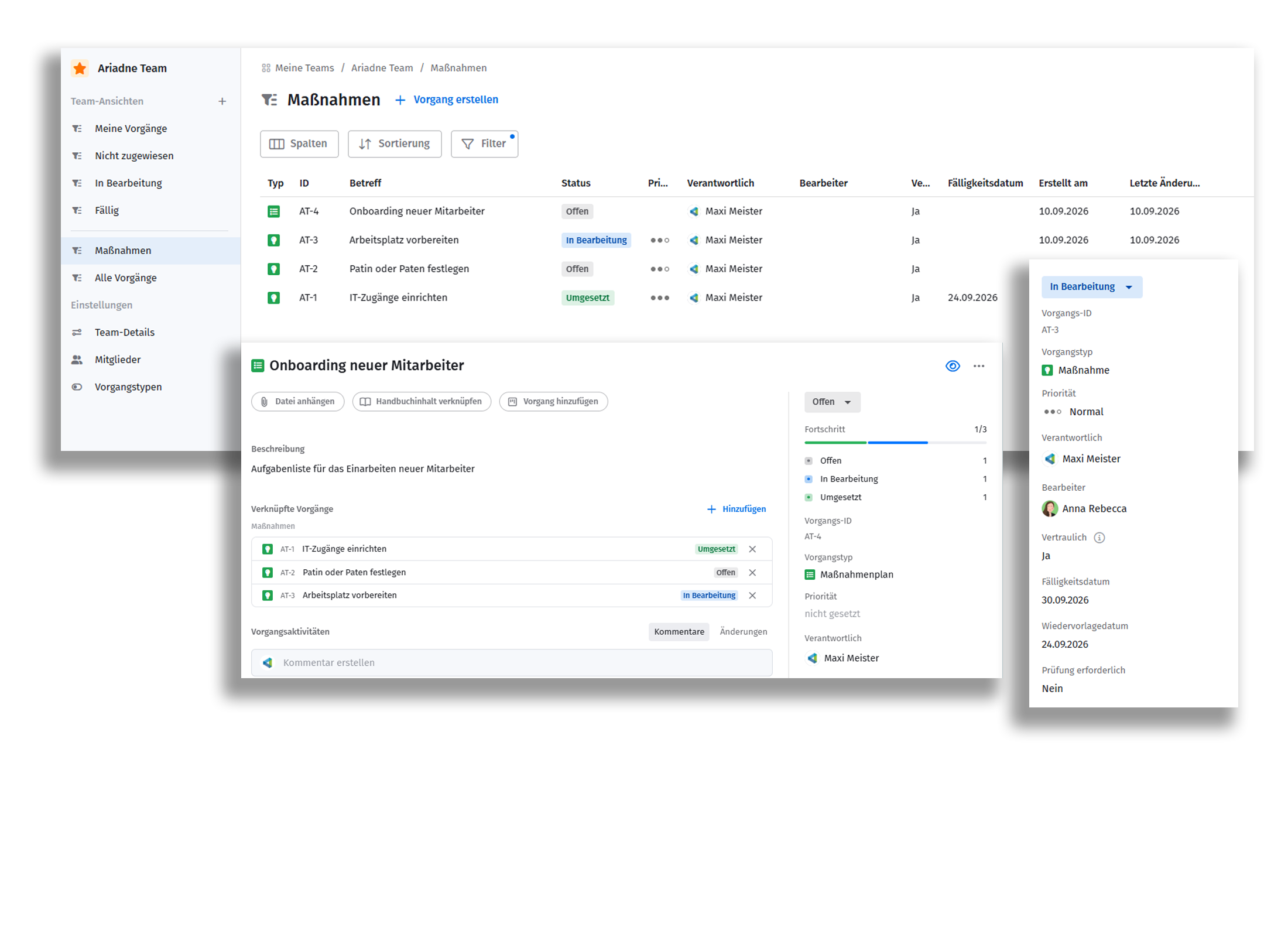
You set up an action plan, whether it comes out of an audit, a risk, or straight from everyday business, for example "Onboarding new employee". Every action gets a person responsible and a due date, so the list can be worked through and assigned right away. Status is visible at any time, and an automatic follow-up date makes sure nothing gets forgotten.
Want to try Action Management in your Q.wiki? Request now |
Was this article helpful?
That’s Great!
Thank you for your feedback
Sorry! We couldn't be helpful
Thank you for your feedback
Feedback sent
We appreciate your effort and will try to fix the article