Skills management shows you at any time who has which skill, who is missing one and whose proof is about to expire. Skills are linked to the same roles as your processes. This way, you can prove in any audit that your employees have the required competence (ISO 9001, clause 7.2), and you no longer need an Excel matrix that is never up to date.
What skills management does for you
- Maintain once, not person by person: The requirement is linked to the role. You define once what, for example, a warehouse clerk needs to know. When someone changes roles, you don't have to update anything by hand.
- Deadlines under control: Ariadne calculates how long each proof is valid and reminds every person in good time before it expires. If a proof is missing or has expired, the person gets a task. As soon as a new proof is recorded, the task is completed automatically.
- Data protection built in: Everyone only sees themselves, supervisors see their team.
- Your role model as the basis: To learn how to create roles and assign owners and deputies, see Management of roles in Ariadne.
Four steps to an up-to-date skills matrix
| Step | What you do | Example |
|---|---|---|
| 1. Create a skill Instructions | Create it in the skills catalog and set the proof type, repetition and reminder | "First aid training", proof type certificate, recurring every 24 months |
| 2. Define roles Instructions | Select the roles that require the skill | The role "Warehouse clerk" is assigned. All warehouse clerks without proof appear as "missing" in the matrix. |
| 3. Record proof Instructions | Open the cell in the skills matrix, enter the issue date and optionally attach a file or note | Certificate dated today: the cell shows "valid" for 24 months, and "warning" once the reminder date is reached. |
| 4. Work through what needs action Instructions | Check open and expiring proofs in the overview | The overview lists all open items by urgency. |
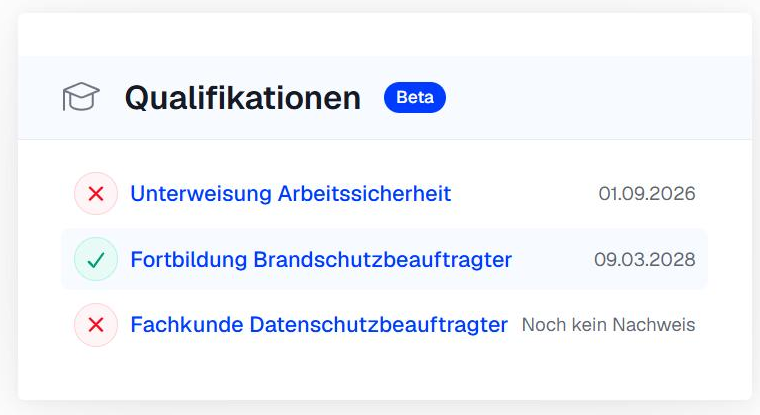
When someone changes roles, the required skills adjust automatically. In your user profile, you can see which skills you need and which ones are fulfilled.
What skills management does not cover
Skills management does not replace a training or learning management system (LMS). It does not cover:
- planning and booking trainings or sending invitations
- course content and e-learning
- evaluating the effectiveness of trainings
- competence levels and staff development
- staff deployment and shift planning
- connecting HR, ERP or LMS systems
Frequently asked questions
Why can't I see the module?
You don't have permission for the module. You can still see your own skills in your user profile. For more information, see Permissions in skills management.
Can I restore a deleted skill?
No. Deleted skills cannot be restored. All related proofs are deleted as well.
How do I get my existing Excel matrix into Ariadne?
The easiest way is an AI assistant via the MCP interface. See the section "Working with AI assistants" in Create and assign skills.
Related articles
Was this article helpful?
That’s Great!
Thank you for your feedback
Sorry! We couldn't be helpful
Thank you for your feedback
Feedback sent
We appreciate your effort and will try to fix the article