If you use Ariadne Multisite, you always work in a specific unit in issue management. This article shows you how to switch units or display the content of all units at once.
Prerequisites
- You use Ariadne Multisite with several units
- Issue management is enabled for you
Step-by-step
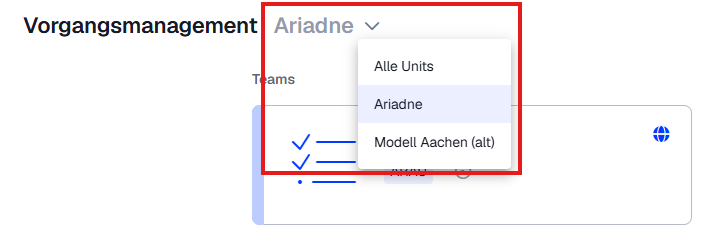
- In issue management, open the Overview, My teams or Team administration. The unit picker shows which unit you're currently in.
- Click the unit picker.
- Select the unit you want to switch to, or display the content of all units.
Result
You now see the teams and issues of the selected unit or of all units. Your selection is kept when you return to Ariadne.
Related articles
Was this article helpful?
That’s Great!
Thank you for your feedback
Sorry! We couldn't be helpful
Thank you for your feedback
Feedback sent
We appreciate your effort and will try to fix the article