This article shows you how to create a new audit and which fields are available.
Create an audit
Create a new issue of the type Audit. The following fields are available:
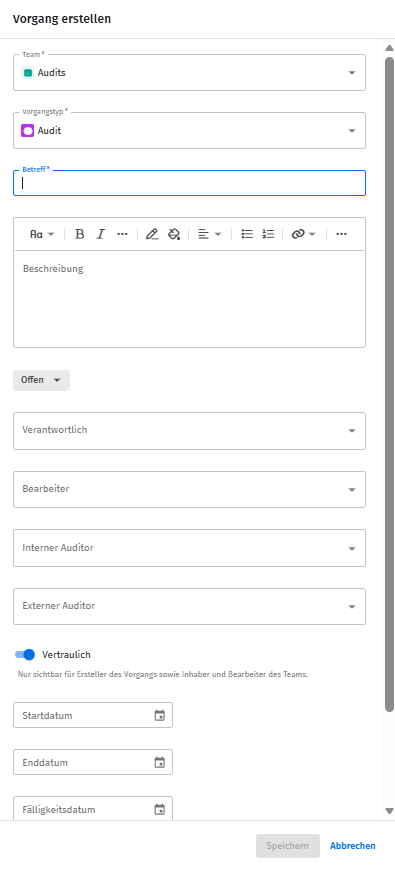
- Subject: Required field
- Description: Description of the audit
- Status: Current state of the audit. See Meaning of the different audit statuses.
- Responsible: The people responsible for the audit
- Assignee: The people responsible for preparing and following up on the audit
- Auditor: The person conducting the audit – either an internal user or details of an external person
- Confidential: Defines whether the audit is visible to all team members or only to owners and assignees
- Audit start and end: The period in which the audit is planned to take place
- Due date: Can be used freely, for example if follow-up work must be completed by a certain date
- Resubmission date: Can be used freely, for example as a reminder to start preparing in good time before the audit
Add a catalog of criteria
Once the audit is created, add a catalog of criteria to it. You can take it over from an audit template or an existing audit, combine several catalogs or import questions from an Excel file. For details, see Build and manage a catalog of criteria.
Related articles
Was this article helpful?
That’s Great!
Thank you for your feedback
Sorry! We couldn't be helpful
Thank you for your feedback
Feedback sent
We appreciate your effort and will try to fix the article